A little wooden railway to plan on screen, then build on the floor.
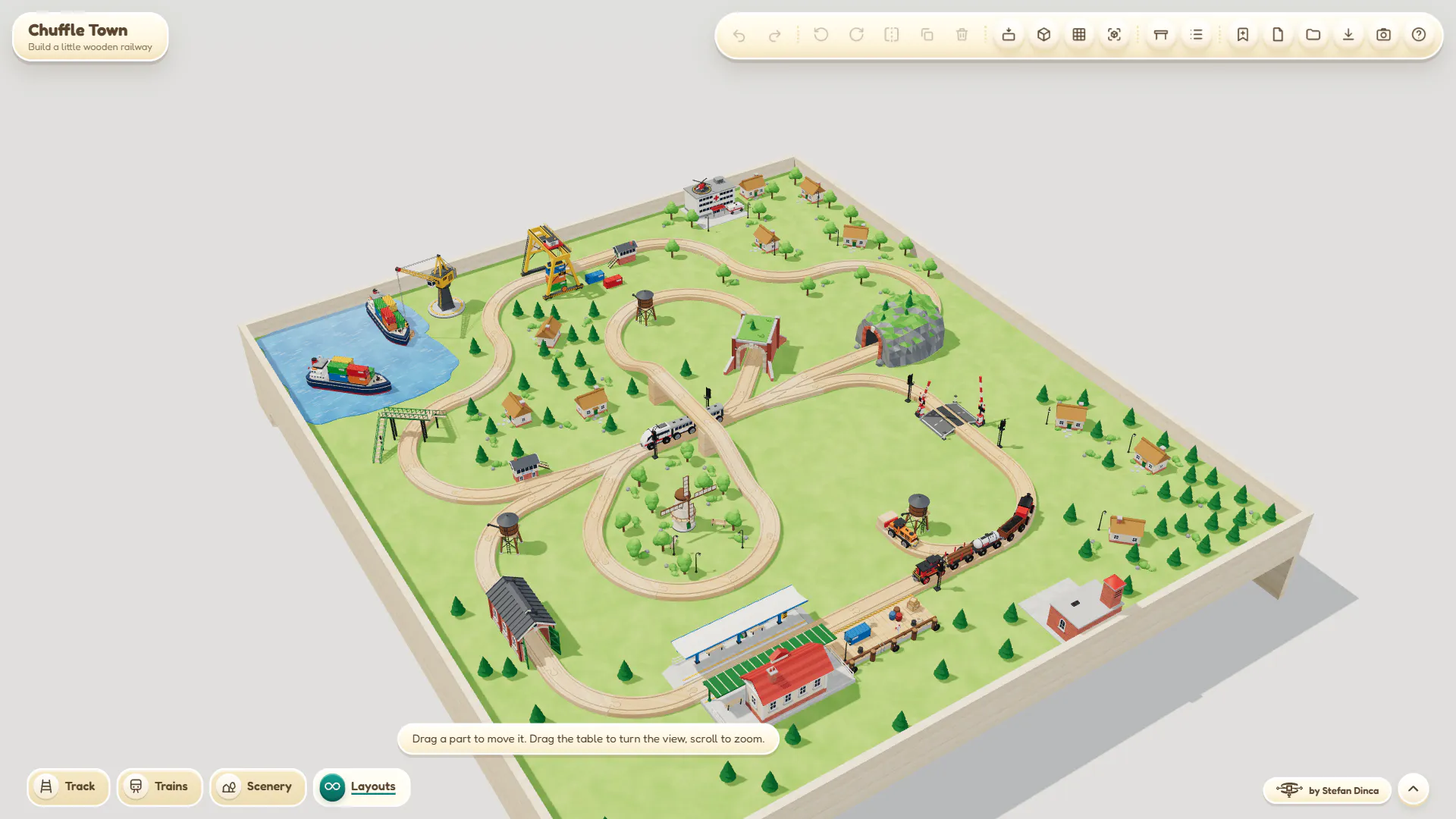
Chuffle Town is a browser toy and planner for wooden train sets. You lay track on a play table and the pieces snap together peg to socket, the way the real ones do. Then you add scenery and trains, and run the trains round the layout.
It works as a toy and as a plan. A layout can be tried out before a single piece leaves the box, on a table set to the size of the real one, with a parts list that counts what it needs. And once the trains are running, the town around them joins in: gates close, signals change, cranes load and a steam engine stops for water.
Why I Built It
I built this because I love playing with trains with my kid and this adds a layer of interactivity and planning.
Your Turn
Lay some track, run a train.
Chuffle Town runs in the browser: nothing to install and no account. Lay your own track, or open a ready-made scene and press play over an engine.
Play it here ↗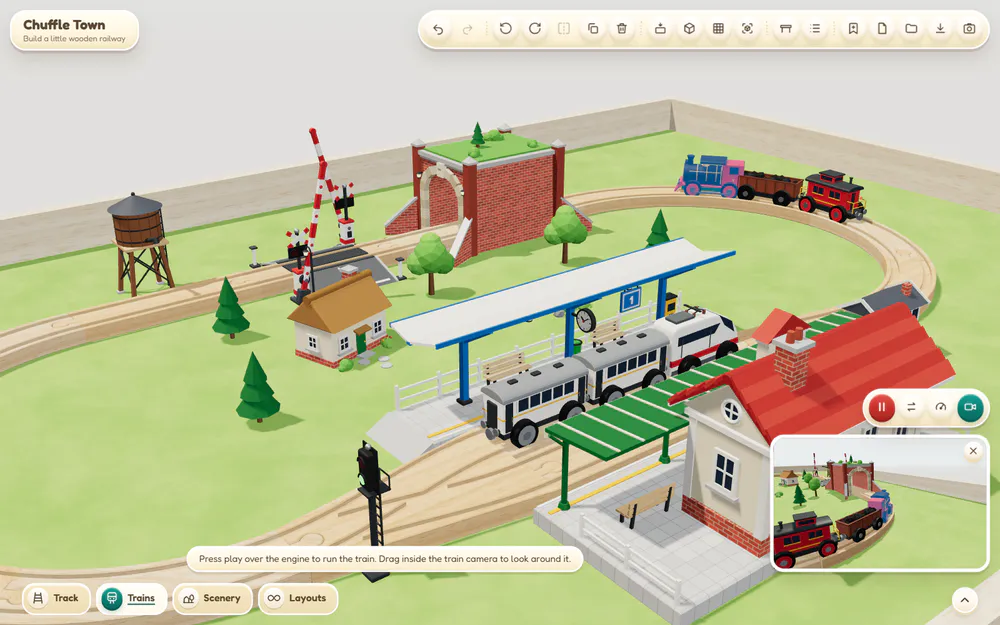
Build & Run
Track That Snaps
Straights, curves, switches, a crossing, bridge ramps, a level crossing and buffer stops. Pieces snap together peg to socket, and curves and switches can be flipped.
A Table Your Size
The play table is editable: width, depth, height and surface, so a layout is planned on the table it is meant for.
Trains That Couple
Steam, diesel and express engines, coaches, cargo wagons and a caboose. Cars couple to each other, so a train is put together one car at a time.
Click An Engine To Go
The train follows the track over bridges and through tunnels, picks a branch at random at junctions and waits for other trains.
Train Camera
A small picture-in-picture camera follows the engine and can be swung round it, for the view from beside the track.
A Town To Put Round It
Stations, a platform, an engine shed, tunnels, cranes, a quay with a cargo ship, a lighthouse, a cottage, trees, a fire station, a hospital and a windmill.
Scenery That Reacts
The scenery is not only decoration. Some of it watches the trains and acts on its own, and some of it is set going with a click.
Watching The Trains
Set Going By You
Plan & Save
Ready-Made Layouts And Scenes
Six track plans to build on, from a circle to a figure of eight with a bridge, and four whole scenes with scenery and trains already in place: Station town, Harbour line, Mountain pass and Crossroads.
Your Own Layouts, By Name
A layout is saved by name in the browser. It can also be downloaded as a file, opened again later, or saved as a picture.
Parts List
A list of the parts on the table, counted, so it is clear what a layout needs before it is built for real.
See It In Your Room
An augmented-reality mode on phones, to stand the layout on a real floor or table (Android Chrome, or iPhone and iPad). It is experimental.
How It’s Made
Chuffle Town is three.js and WebGL with vanilla JavaScript, built with Vite. Every model is generated in code: the track, the engines, the buildings, the ship and the trees. There are no imported 3D files, and the whole app is about one megabyte.
Track geometry is built from real-world dimensions in millimetres, so the pieces, the table and the parts list all work at the size of the real thing.